
Table of Contents
- What is a Refurbished Workstation?
- Advantages of Refurbished Workstations
- How to Boost Your Workstation's Performance?
- 1. Upgrade RAM
- 2. Install an SSD
- 3. Clean and Maintain Your Workstation
- 4. Monitor Temperature
- 5. Manage Software Effectively
- Refurbished Workstation Maintenance Overview
- Get Comfortable in Your Workspace
- Interesting Principles for Maintenance and Performance Improvement
Overview
How to boost the performance of refurbished workstations: RAM upgrade, SSD installation, regular maintenance, temperature monitoring, and effective software management. Refurbished workstations are eco-friendly and cost-effective, ideal for increasing productivity.
Related Product

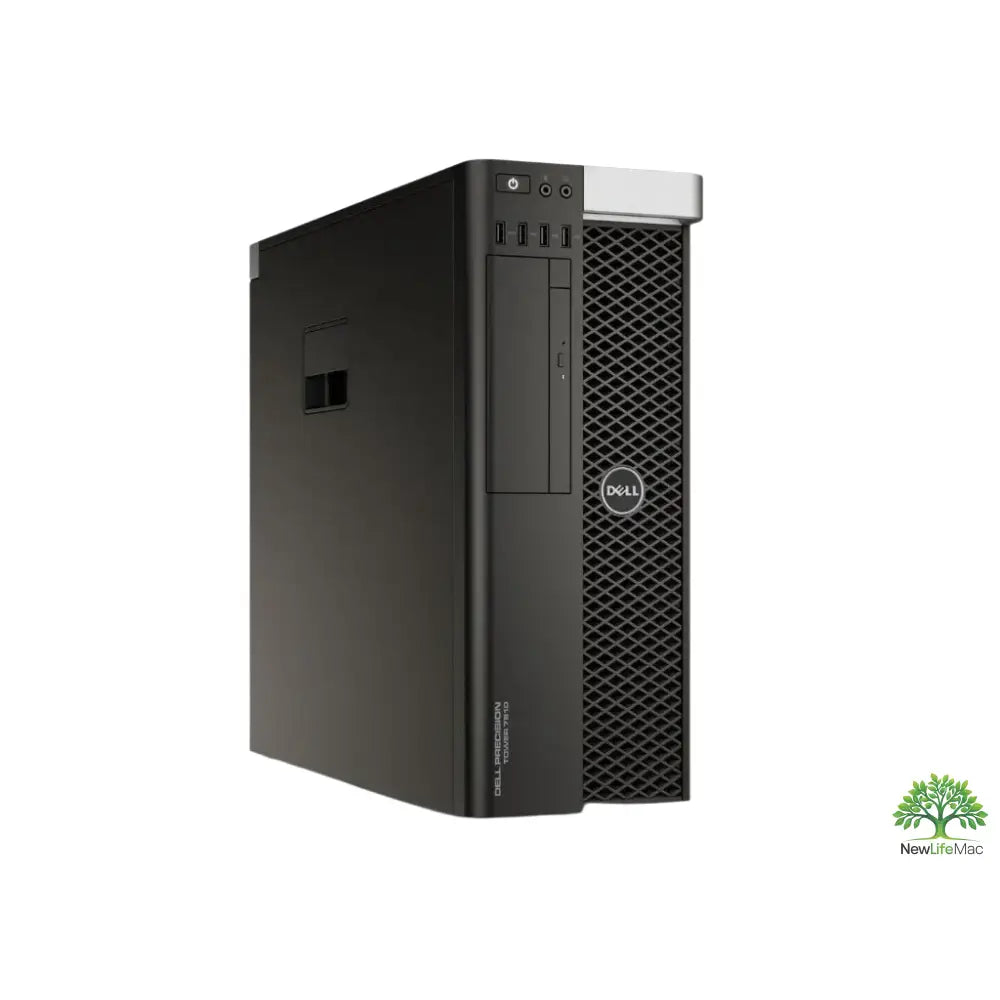
T7810 – Xeon E5-1650V4 – 16 GB RAM – 256 SSD
The T7810 workstation is equipped with a Xeon E5-1650V4 processor and 16 GB of RAM, making it suitable for demanding tasks such as CAD, 3D modeling, video editing, development, and virtualization. With a 256 GB SSD, it offers ample storage for projects while ensuring fast data access. This refurbished workstation provides a strong performance-to-price ratio for professionals in need of reliable computing power.
View productIn today's fast-paced world of technology, we focus on how to get the best performance from our devices, especially refurbished workstations. Whether you have a DELL R640, a Dell T7810, or another refurbished workstation, the right adjustments can significantly increase productivity and speed. In this guide, we'll look at several effective ways to maximize the potential of your refurbished workstation and include some tips and tricks for maintenance.
What is a Refurbished Workstation?
Refurbished workstations are devices that have been returned to the manufacturer, reconditioned, and re-released to the market. These machines, such as the T7810 workstation or a refurbished iMac, offer excellent value for money and are ideal for businesses and individuals looking for performance without a high price tag.
Advantages of Refurbished Workstations
- Environmentally friendly: Refurbished products help reduce electronic waste.
- Cost savings: You can get a powerful device for a fraction of the cost of new models.
- Upgrade potential: Many refurbished workstations allow upgrades, so you can tailor performance to your needs.
How to Boost Your Workstation's Performance?
Here are some simple and effective methods to improve the performance of your refurbished workstation:
1. Upgrade RAM
One of the easiest and most effective ways to boost your device's performance is to add more Random Access Memory (RAM). With sufficient RAM, you'll be able to multitask more efficiently and run more programs simultaneously, meaning your refurbished servers like the DELL R640 will perform seamlessly even with demanding applications.
2. Install an SSD
Switching from a traditional hard disk drive (HDD) to an SSD will significantly speed up the loading of your operating system and applications. SSDs are faster, more reliable, and consume less power, making them an ideal choice for any refurbished workstation. If your Dell T7810 is still using an HDD, don't hesitate to invest in an SSD.
3. Clean and Maintain Your Workstation
Regular cleaning and maintenance are crucial for the performance of your refurbished workstation. Dust and dirt can slow down ventilation and cause overheating. Keep your device in a clean environment and clean it thoroughly occasionally. Use compressed air to remove dust from heatsinks and fans.
4. Monitor Temperature
Temperature is an important factor in the performance of computer systems. Unnecessary overheating can lead to reduced performance. There are several programs that can measure the temperature of your workstation's components. Ensure that ventilation is effective and consider adding more fans if necessary.
5. Manage Software Effectively
Having a fast device isn't everything; it's also important to optimize your software. Here are some tips to keep your programs running efficiently:
- Uninstall unnecessary applications: Reduce memory and storage load by removing applications you don't use.
- Update software: Keep your operating system and applications up to date to prevent performance and security issues.
- Optimize startup: Check which programs launch at startup and disable those that are not essential.
Refurbished Workstation Maintenance Overview
The following table provides an overview of key maintenance practices that will help keep your refurbished workstation performing at its best:
| Maintenance Practice | Frequency | Description |
|---|---|---|
| Cleaning the interior of the device | Every 6 months | Removing dust and dirt from ventilation and heatsinks. |
| Operating system updates | Quarterly | Keeping the operating system up to date with the latest versions and patches. |
| Component temperature check | Every 3 months | Measuring and monitoring the temperature of key components. |
| Disk optimization | Every 6 months | Defragmenting and checking for errors on the hard drive or SSD. |
Get Comfortable in Your Workspace
The design of your workspace can also affect performance and efficiency. You should generally be aware of how your environment impacts your productivity. Here are some tips:
- Ergonomic arrangement: Proper placement of your monitor, keyboard, and mouse will help prevent back pain and other physical problems.
- Lighting: Good lighting reduces eye strain and increases comfort while working.
- Cable organization: Keep the space clear and clutter-free, leading to a more pleasant working environment.
Interesting Principles for Maintenance and Performance Improvement
In addition to the tips above, there are some interesting principles that can help you optimize the performance of your refurbished workstation:
- Utilize cloud storage: Helps free up space on your local drive.
- Work with an ideal task manager: Keep track of running processes that burden the CPU and RAM.
- Use antivirus protection: Protects your device from malware that can slow down performance.
Maintaining refurbished workstations like the DELL R640 or a T7810 workstation in top condition is possible and relatively simple. Through regular maintenance, proper hardware and software optimization, you will maintain high performance and extend the lifespan of your devices. With these tips we've provided, you should be able to maximize all the benefits that refurbished servers offer you.
So don't hesitate and start improving your workstation's performance! You'll see that the investment in maintenance and improvements will pay off, and your productivity will soar!
Key Takeaways
- RAM Upgrade: Adding more RAM significantly improves multitasking and performance for demanding applications.
- SSD Installation: Switching to an SSD speeds up operating system and application loading and reduces power consumption.
- Regular Maintenance: Clean and maintain your workstation to prevent overheating and performance slowdowns.
- Temperature Monitoring: Monitor component temperatures and ensure effective ventilation for optimal performance.
- Effective Software Management: Uninstall unnecessary applications and regularly update software to ensure smooth operation.
- Ergonomic Workspace Arrangement: Proper arrangement of equipment and lighting increases productivity and reduces fatigue.
- Utilizing Cloud Storage: Free up space on your local drive and improve data access.
Pros and Cons
| Advantages | Disadvantages |
|---|---|
| Environmental friendliness by reducing electronic waste. | Potentially lower reliability compared to new devices. |
| Cost savings – powerful equipment for a fraction of the price of new models. | Refurbished products may have limited warranty. |
| Upgrade potential to adapt performance to your needs. | Older hardware might be less efficient for modern applications. |
| Quick performance improvement with simple upgrades like RAM or SSD. | Requires regular maintenance to sustain performance. |
Frequently Asked Questions
1. What is a refurbished workstation?
2. What are the advantages of refurbished workstations?
3. How can I boost the performance of my refurbished workstation?
4. How often should a refurbished workstation be maintained?
5. What workspace design tips can increase productivity?
Glossary
| Term | Meaning |
|---|---|
| Refurbished Workstation | A device reconditioned and relaunched on the market. |
| RAM | Operating memory for efficient multitasking. |
| SSD | Fast and reliable drive for quick loading. |
| HDD | Traditional hard disk, slower than SSD. |
| Maintenance | Regular cleaning and inspection of the device. |
| Temperature | An important factor affecting system performance. |
| Software Optimization | Keeping programs current and efficient. |
| Cloud Storage | Storage to free up space on the local drive. |
| Antivirus Protection | Protection against malware and performance improvement. |
Share:
Refurbished workstations for creatives with high performance
Choosing CPUs for Efficient Work and Gaming Workstations