
Table of Contents
Overview
Refurbished workstations offer an excellent price/performance ratio for demanding tasks. Recommended models T5810, T7810, and T3610 with Xeon processors ensure high performance and reliability. When choosing, consider the purpose, budget, and specifications.
In today's digital world, computer performance and reliability are becoming key factors for efficient work. Whether you are a graphic designer, programmer, or engaged in other demanding tasks, a quality workstation is essential. Refurbished workstations offer an excellent price/performance ratio and are an ideal choice for anyone looking for robust hardware without having to invest in a brand new device. In this article, we will look at some powerful refurbished workstations that can help you achieve your goals.
Refurbished Workstations on Offer
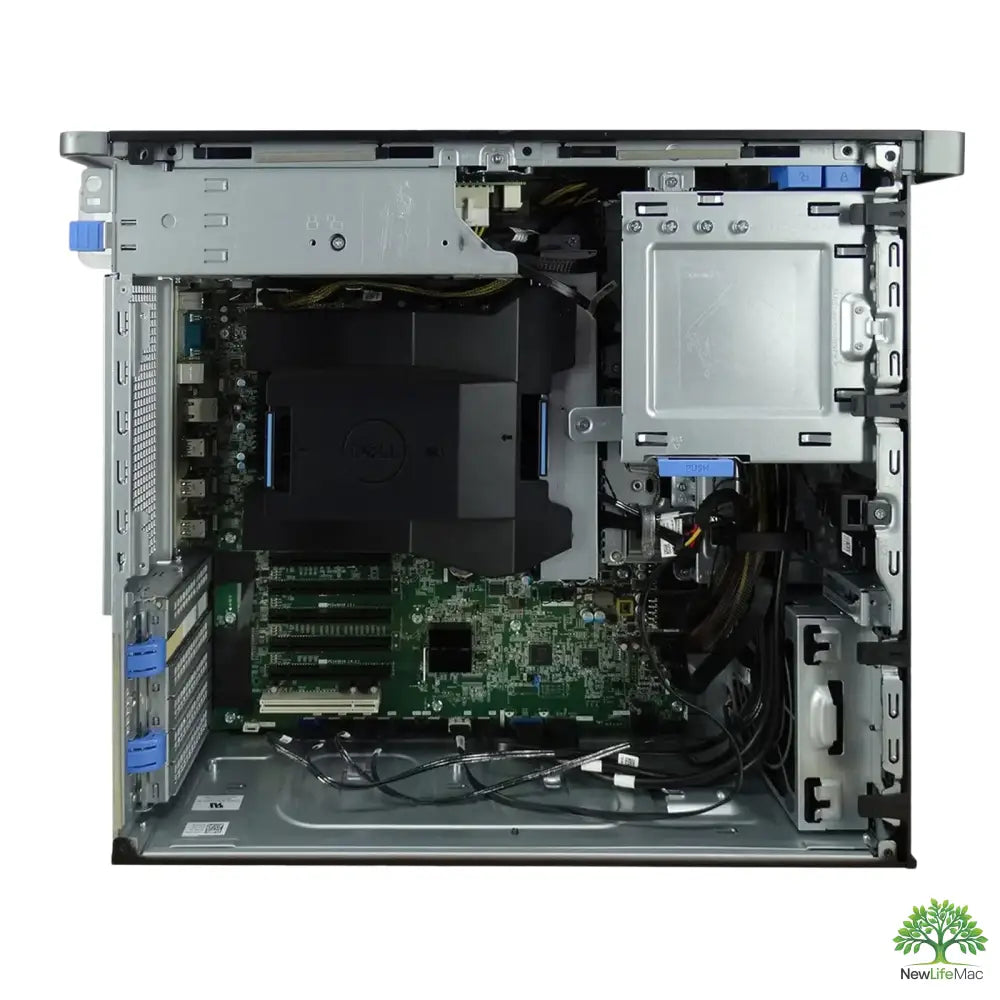
We will introduce three models that are characterized by high performance and reliability. These workstations are equipped with Xeon processors, which are popular for their ability to handle multitasking and demanding computational tasks.
T5810 – Xeon E5-1630V3 – 32 GB RAM – 4TB+256 SSD


The T5810 model is equipped with a Xeon E5-1630V3 processor, which achieves excellent performance with a PassMark score of 7409 for single-thread and 2111 for multi-thread. With 32 GB DDR4 RAM and combined storage of 4TB + 256 GB SSD, this workstation offers ample space and speed for demanding tasks. The processor clock speed reaches up to 3.8 GHz, ensuring smooth application performance and multitasking.
T7810 – Xeon E5-1650V4 – 16 GB RAM – 256 SSD

Another great model is the T7810, which comes with a Xeon E5-1650V4 processor, offering even better performance than its predecessor. With 16 GB RAM and a 256 GB SSD, this workstation is ideal for professionals who need a reliable computer for graphics applications and programming. The processor clock speed reaches up to 4.0 GHz, ensuring fast data processing.
T3610 – Xeon E5-1620V2 – 16 GB RAM – 256 SSD

The last model we will look at is the T3610. This model is equipped with a Xeon E5-1620V2 processor, which offers solid performance with a PassMark score of 6556 for single-thread and 2017 for multi-thread. With 16 GB RAM and a 256 GB SSD, this workstation is an excellent choice for those looking for an affordable option with good performance.
Performance and Specifications Comparison
| Model | Processor | RAM | Storage | Max. Clock Speed | PassMark (single/multi-thread) |
|---|---|---|---|---|---|
| T5810 | Xeon E5-1630V3 | 32 GB DDR4 | 4TB + 256 SSD | 3.8 GHz | 7409 / 2111 |
| T7810 | Xeon E5-1650V4 | 16 GB DDR4 | 256 SSD | 4.0 GHz | 11400 / 2377 |
| T3610 | Xeon E5-1620V2 | 16 GB DDR2 | 256 SSD | 3.9 GHz | 6556 / 2017 |
How to choose the right workstation?
Choosing the right refurbished workstation can be challenging, but here are some tips to help you:
- Purpose of use: Consider what applications you will be using and how much performance you need. For graphics applications, choose a model with a better graphics card and more RAM.
- Budget: Set a budget you want to invest. Refurbished workstations can be a more affordable alternative to new models.
- Warranty and support: Find out if the refurbished model comes with a warranty and support. This can be important for long-term use.
- Specifications: Look at specifications such as processor, RAM, storage capacity, and other factors that affect performance.
Refurbished workstations, such as T5810, T7810, and T3610 models, offer a great balance between performance and price. Whether you need power for demanding applications or reliability for everyday tasks, these workstations are ready to meet your requirements. With their quality Xeon processors and ample RAM and storage, you will have everything you need for efficient work.
Choose wisely, and remember that a quality refurbished device can be a great investment in your future.
Key Takeaways
- Performance and Reliability: Quality refurbished workstations ensure high performance for demanding tasks.
- Great Price/Performance Ratio: Refurbished models offer robust hardware without the need for high investments in new devices.
- Models with Xeon Processors: Workstations like the T5810, T7810, and T3610 feature Xeon processors that excel in multitasking.
- T5810 Specifications: This model has 32 GB RAM and 4TB + 256 GB SSD storage, ideal for demanding applications.
- T7810 Specifications: With a Xeon E5-1650V4 processor and 16 GB RAM, it is suitable for graphic applications and programming.
- T3610 Specifications: An affordable option with 16 GB RAM and 256 GB SSD, great for basic tasks.
- Important Factors for Selection: Consider the purpose of use, budget, warranty, and specifications when choosing a refurbished workstation.
Pros and Cons
| Pros | Cons |
|---|---|
| Great price/performance ratio | May have limited warranty |
| High performance for demanding tasks | Older technology may be less efficient |
| Robust hardware for multitasking | Possibility of component wear |
| Ample RAM and storage capacity | Lack of modern features and connectivity |
| Ideal for professionals and creatives | Higher demands on maintenance and support |
Quick Comparison
| Option | Best for | Strengths | Trade-offs |
|---|---|---|---|
| T5810 – Xeon E5-1630V3 – 32 GB RAM – 4TB+256 SSD | Demanding tasks and multitasking | High performance, large storage capacity, fast processor | Higher price compared to basic models |
| T7810 – Xeon E5-1650V4 – 16 GB RAM – 256 SSD | Graphic applications and programming | Fast data processing, good performance for graphics | Smaller RAM and storage capacity |
| T3610 – Xeon E5-1620V2 – 16 GB RAM – 256 SSD | Cost-effective solution | Solid performance, good price | Lower performance than other models |
Frequently Asked Questions
1. What are refurbished workstations?
2. What is the price/performance ratio of refurbished workstations?
3. How to choose the right workstation?
4. Which models of refurbished workstations are recommended?
5. What processors are used in these workstations?
Glossary
| Term | Meaning |
|---|---|
| Refurbished workstation | Restored device with high performance and reliability. |
| Xeon Processor | Powerful processor designed for demanding computational tasks. |
| RAM | Operating memory that affects computer speed and performance. |
| SSD | Fast storage that ensures quick data access. |
| PassMark score | Processor performance rating in benchmark tests. |
| Multitasking | Ability to process multiple tasks simultaneously. |
| Graphic applications | Software that requires high graphical performance. |
| Specifications | Technical parameters of a device that affect its performance. |
| Warranty | Protection against defects and malfunctions of a device after purchase. |
| Budget | The financial amount you plan to invest in the device. |
Share:
How to Choose the Right Refurbished Server for Your Business
Where to buy quality refurbished servers