
Table of Contents
- Why choose a refurbished iMac?
- Introducing refurbished iMac models
- Apple iMac 10.1 2009 21.5" – Intel Core 2 Duo
- Apple iMac 12.1 2011 21.5" – Intel Core i5 Sandy Bridge
- Apple iMac 14.2 2013 27" – Intel Core i5 Haswell
- Apple iMac 11.3 2010 27" – Intel Core i7 Lynnfield
- How to choose the right refurbished iMac?
- Conclusion
Overview
Refurbished iMacs are an excellent choice for creative professionals, combining performance, elegant design, and affordability. You can save up to 70% compared to new models, help the environment, and get a reliable machine. When choosing, consider the intended use, performance, display size, and budget.
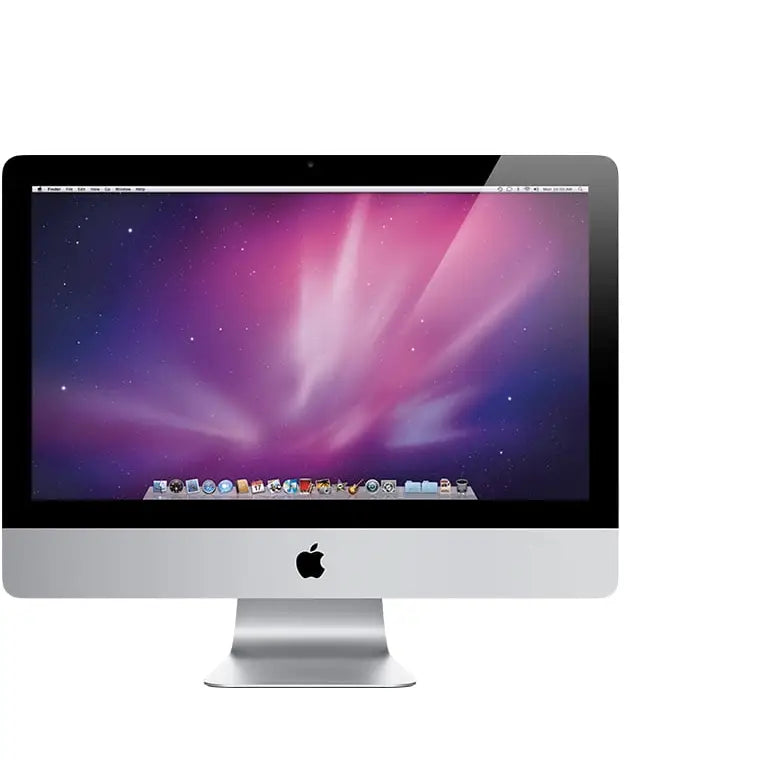
If you're a creative professional looking for a reliable computer, refurbished iMacs could be a great choice. These machines combine performance, elegant design, and affordability, making them ideal for graphic designers, designers, or video producers. In this article, we'll introduce several iMac models that offer an excellent performance-to-price ratio and show the benefits of a great refurbished approach.
Why choose a refurbished iMac?
Refurbished iMacs are an ideal choice if you're looking for performance for demanding tasks without having to spend a fortune on a new device. Here are several reasons why you should consider buying a refurbished iMac:
- Cost-effectiveness: Refurbished iMacs can save you up to 70% compared to new models.
- Eco-friendly solution: Refurbished machines help reduce electronic waste and are environmentally friendly.
- High performance: Even older models can provide significant performance for creative software.
- Reliability: Many refurbished iMacs are thoroughly tested and certified.
Introducing refurbished iMac models
Let's take a closer look at some of the most interesting models that could enhance your creative workspace.
Apple iMac 10.1 2009 21.5" – Intel Core 2 Duo
Let's start with the Apple iMac 10.1 (Late 2009), which represents a classic all-in-one computer. With a 21.5" display, it offers everything you need for everyday work and entertainment. Thanks to its Intel Core 2 Duo processor, it's ideal for home use or the office, and its cost-effectiveness is up to 70% compared to new models.

Apple iMac 12.1 2011 21.5" – Intel Core i5 Sandy Bridge
Next, we have the Apple iMac 12.1 (Mid 2011), which delivers performance thanks to its second-generation Intel Core i5 processor. This model is an excellent choice for more demanding tasks such as graphic editing or video production. Its elegant design and robust performance make it a great asset for creative professionals.

Apple iMac 14.2 2013 27" – Intel Core i5 Haswell
Now let's look at the Apple iMac 14.2 (Late 2013), which is a professional all-in-one computer with a stunning 27" display and fourth-generation Intel Core i5 processors. This model is designed to meet the demands of even the most discerning users. If your work requires high graphical intensity, this iMac is an excellent choice.

Apple iMac 11.3 2010 27" – Intel Core i7 Lynnfield
Finally, we present the Apple iMac 11.3 (Late 2010), which offers impressive performance thanks to its Intel Core i7 processor. This model with a 27" display is ideal for professional tasks and will offer you a combination of size, performance, and elegance. If you're looking for something truly powerful, this iMac won't disappoint.

How to choose the right refurbished iMac?
When choosing a refurbished iMac, it's good to keep a few key factors in mind:
- Purpose of use: Think about what you will use the computer for – for routine office work, graphic editing, or video production.
- Performance: Choose a model with sufficient processing power. Models with i5 or i7 processors typically provide better performance for more demanding tasks.
- Display size: Consider the display size that will suit your needs. Larger displays are ideal for multitasking and professional work.
- Budget: Set a budget and look for models that fit within it. Refurbished iMacs offer great value for money.
- Warranty and service: Find out if you get a warranty on the refurbished machine and what type of customer service is available.
When choosing a refurbished iMac, don't be afraid to invest in a higher model if you know it will provide you with the necessary performance and longevity.
Conclusion
Refurbished iMacs represent a powerful and affordable alternative for creative professionals. They offer a great combination of performance, elegant design, and cost savings. Whether you're looking for a basic model for everyday tasks or a powerful machine for demanding work, certain refurbished iMacs, such as the iMac 10.1 (2009) or the iMac 14.2 (2013), may be exactly what you need. However, keep your specific requirements and budget in mind to choose the right machine for you. With refurbished devices on the market, you have a great opportunity to get a powerful machine that will meet all your needs.
Key Takeaways
- Cost-effectiveness: Refurbished iMacs can save up to 70% compared to new models.
- Eco-friendly solution: They help reduce electronic waste and are environmentally friendly.
- High performance: Even older models provide significant performance for creative software.
- Reliability: Many refurbished iMacs are thoroughly tested and certified.
- Wide range of models: Models like the iMac 10.1 (2009) and iMac 14.2 (2013) exist to meet various user needs.
- Display size: Larger displays are ideal for multitasking and professional work.
- Warranty and service: It's important to check if a warranty and quality customer service are available.
Pros and Cons
| Pros | Cons |
|---|---|
| Cost-effectiveness – up to 70% savings compared to new models. | Possibly limited availability of the latest technologies. |
| Eco-friendly solution – reduction of electronic waste. | Potentially shorter lifespan compared to new devices. |
| High performance – even older models handle demanding tasks. | Potential risk of hidden defects or damage. |
| Reliability – thorough testing and certification of refurbished machines. | Limited warranty compared to new devices. |
Quick Comparison
| Option | Best for | Strengths | Main Disadvantages |
|---|---|---|---|
| Apple iMac 10.1 2009 21.5" – Intel Core 2 Duo | Everyday tasks | Cost-effectiveness: up to 70% compared to new models | Lower performance for more demanding applications |
| Apple iMac 12.1 2011 21.5" – Intel Core i5 Sandy Bridge | Creative professionals | Robust performance for graphic editing | Less modern design |
| Apple iMac 14.2 2013 27" – Intel Core i5 Haswell | Professional users | High performance for graphically demanding tasks | Higher price compared to older models |
| Apple iMac 11.3 2010 27" – Intel Core i7 Lynnfield | Demanding tasks | Exceptional performance and elegant design | Older technology |
Frequently Asked Questions
1. Why should I choose a refurbished iMac?
2. What are the main advantages of refurbished iMacs?
3. Which refurbished iMac models should I consider?
4. What to look for when choosing a refurbished iMac?
5. What performance can I expect from older refurbished iMac models?
Glossary
| Term | Meaning |
|---|---|
| Refurbished iMac | A renewed Apple iMac computer that has been inspected and repaired. |
| Performance | The ability of a computer to efficiently execute demanding tasks. |
| Cost-effectiveness | The possibility of saving money when purchasing a refurbished device. |
| Eco-friendly solution | Reducing electronic waste by reusing devices. |
| Graphic editing | The process of editing images and videos for professional use. |
| Multitasking | The ability to perform multiple tasks simultaneously on one device. |
| Warranty | Customer protection in case of device failure within a certain period. |
| Design | The aesthetic and functional execution of a computer. |
| Processor | The main component of a computer ensuring its performance and speed. |
Share:
Refurbished servers and workstations: What are they?
Refurbished Servers: Why You Should Consider Using Them