
Table of Contents
- What is a refurbished workstation?
- Why choose a refurbished workstation?
- Key parameters for choosing a refurbished workstation
- 1. Processor
- 2. RAM Memory
- 3. Storage
- 4. Graphics Card
- Which brands and models to consider?
- How to avoid common mistakes when choosing a refurbished workstation
- Where to buy a refurbished workstation?
- What do experts say about refurbished servers?
- The value of refurbished equipment for your business
Overview
Choosing a refurbished workstation can save costs and provide the necessary performance for your business. Consider key parameters such as processor, RAM, storage, and graphics card. Refurbished equipment offers high quality, eco-friendliness, and flexibility, making it ideal for small and medium-sized businesses. It is also important to avoid common mistakes and purchase from verified sellers.
Related product
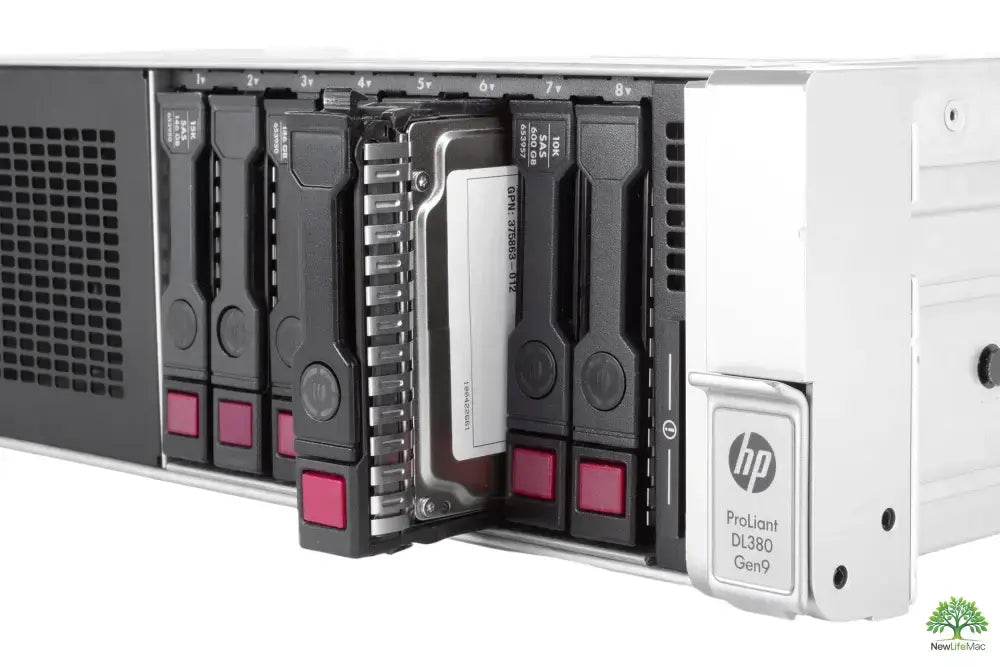
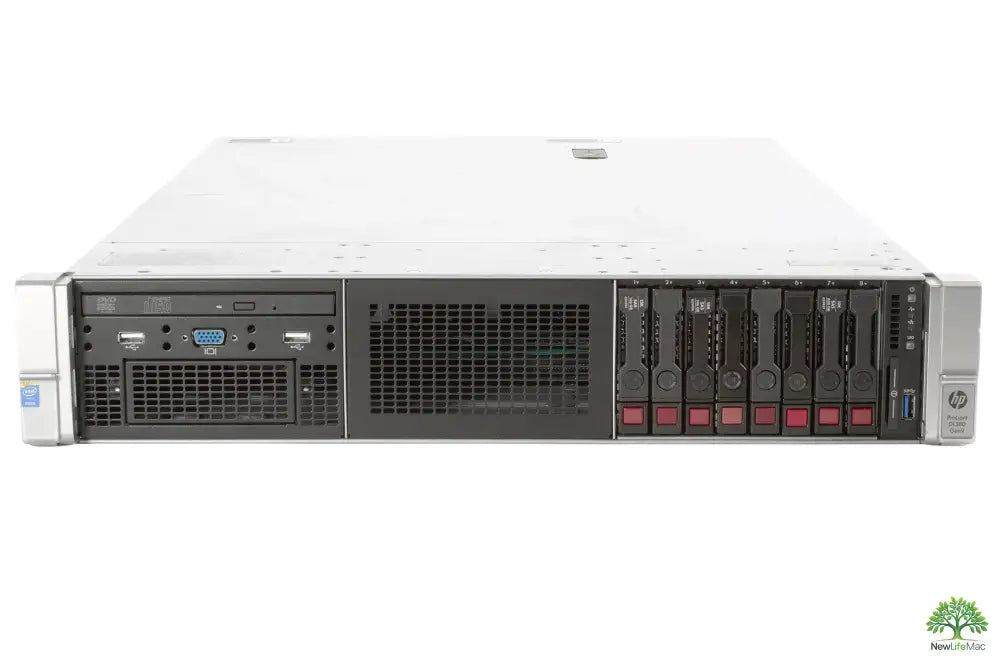
HP ProLiant DL380 G9 2U Rack Server - Intel Xeon E5-2609 v3, 192GB RAM
The HP ProLiant DL380 G9 is a robust 2U rack server that is ideal for virtualization and database applications requiring high reliability. With an Intel Xeon E5-2609 v3 processor and 192 GB RAM, it provides sufficient performance for demanding business tasks. Thanks to features such as redundant power supplies and advanced management tools, this server is suitable for data centers and companies looking for a stable and efficient solution.
View productIf you want your business to operate efficiently and without problems, it is essential to have the right workstation. Choosing a refurbished workstation can be a great option that will save your company money while providing the necessary performance. This article will advise you on how to correctly choose a refurbished workstation to meet all your needs.
What is a refurbished workstation?
A refurbished workstation is a computer that has been previously used but has been fully inspected, repaired, and updated to meet quality and performance standards. These are often models from renowned manufacturers such as Dell, HP, or Lenovo. These computers are ideal for working with demanding database applications, as they offer an excellent price/performance ratio.
Why choose a refurbished workstation?
Choosing a refurbished workstation has several advantages, including:
- Cost savings: Refurbished servers and computers are much cheaper than new models.
- Eco-friendliness: Recycling older computers helps reduce electronic waste.
- High quality: Refurbished computers are thoroughly tested and often come with a warranty.
- Flexibility: You can choose from a wide range of models that meet the specific needs of your company.
Key parameters for choosing a refurbished workstation
When choosing a refurbished workstation, you should consider several important parameters:
1. Processor
The processor is the brain of every computer. Make sure the selected workstation has a powerful processor that can handle demanding tasks, such as calculations in database applications. Consider models like the Dell T7810 or its successor.
2. RAM Memory
Sufficient RAM memory is essential for the smooth running of applications. For most businesses, 16 GB is enough, but if you plan to use more demanding programs, choose at least 32 GB.
3. Storage
Choose a workstation with a fast SSD drive. SSDs offer much faster loading of applications and files than traditional HDDs. The minimum disk size should be 512 GB. In addition, refurbished servers often include the option to add additional drives to expand storage.
4. Graphics Card
If your company needs graphically demanding applications, such as video editing or CAD software, do not forget about a quality graphics card. A refurbished iMac usually has integrated graphics at a decent level, but for 3D graphics rendering, focus on workstations with dedicated graphics cards.
Which brands and models to consider?
There are many refurbished workstations on the market. However, some brands are known for their quality and performance. Here is a brief overview of several popular brands and models:
| Brand | Model | Type of use |
|---|---|---|
| Dell | T7810 | Advanced database applications |
| Dell | R640 | Server applications and virtualization |
| HP | Z440 | Graphic design and video editing |
| Lenovo | P520 | Technical workstations with CAD |
How to avoid common mistakes when choosing a refurbished workstation
To avoid disappointment when choosing a refurbished workstation, keep the following tips in mind:
- Don't just focus on the price. Cheaper isn't always better.
- Find out about warranties and after-sales service.
- Try to personally see and touch the machine before buying, if possible.
- Research reviews from other customers.
- Don't forget about future scalability - your worker may need an upgrade.
Where to buy a refurbished workstation?
There are several reliable sources for purchasing refurbished workstations on the market. Consider purchasing from verified sellers who offer a warranty and quality customer support. Popular destinations for purchasing refurbished servers include not only online stores but also specialized brick-and-mortar stores.
What do experts say about refurbished servers?
IT experts recommend refurbished servers mainly for small and medium-sized businesses that need powerful equipment at an affordable price. Such servers often have excellent performance and long life, which makes them a great investment for the future. Whether you need a mini server for local networks or a high-performance server for large databases, refurbished servers can be an excellent choice.
The value of refurbished equipment for your business
Refurbished workstations and servers aren't just about savings. A well-chosen refurbished computer or server can improve your company's productivity and make work easier for your employees. It is important to choose the right model that meets your needs and requirements. If you do your job more efficiently and with joy, it brings better results for the entire company.
Choosing the right refurbished workstation can be a key factor in your company's success. With the right information and tips you've learned in this article, you'll be able to make an informed decision that will help your business grow and thrive.
Key takeaways
- Cost savings: Refurbished workstations are cheaper than new models.
- Eco-friendliness: Recycling older computers reduces electronic waste.
- High quality: Refurbished computers are thoroughly tested and often come with a warranty.
- Important parameters: Consider processor, RAM memory, storage, and graphics card when choosing.
- Verified brands: Brands like Dell, HP, and Lenovo offer quality refurbished workstations.
- Avoid mistakes: Don't just focus on price and check warranties and reviews.
- Reliable sources: Buy from verified sellers with quality customer support.
Pros and Cons
| Pros | Cons |
|---|---|
| Cost savings on acquisition | Possibility of limited warranty on the device |
| Eco-friendliness and reduction of electronic waste | Older technology may have lower performance |
| High quality due to thorough testing | Potential problems with the availability of specific models |
| Flexibility in choosing different models | Risk of disappointment when choosing an unsuitable model |
Frequently Asked Questions
1. What is a refurbished workstation?
2. What are the advantages of refurbished workstations?
3. What should be considered when choosing a refurbished workstation?
4. Which brands and models are recommended for refurbished workstations?
5. Where can a refurbished workstation be purchased?
Glossary
| Term | Meaning |
|---|---|
| Refurbished workstation | A previously used computer, inspected and repaired for further use. |
| Processor | The main computational unit of a computer, ensuring performance. |
| RAM Memory | Temporary memory for running applications, important for system performance. |
| Storage | Space for data storage, SSD recommended for speed. |
| Graphics card | A device for processing graphics, important for demanding applications. |
| Eco-friendliness | The principle of recycling old devices, reducing electronic waste. |
| Warranty | Protection against defects and malfunctions, important when buying refurbished equipment. |
| Flexibility | The ability to choose from various models according to business needs. |
| Reviews | Opinions and experiences of other users, useful when choosing a device. |
| Server | A powerful computer designed for managing and providing data on a network. |
Share:
Powerful Refurbished Servers with High RAM for Professionals
Powerful refurbished workstations with Intel i7